Renting a Power Bank in Japan: How ChargeSPOT Works, What It Costs, and the Rules on Planes
Maps, train apps, translation and photos can empty a phone battery before lunch. In Japan you can rent a power bank from a stand in a station or a convenience store, charge as you walk, and return it to a stand somewhere else. The most common service is ChargeSPOT, and its operator says it has 62,879 stands across Japan. This guide explains how to rent one as a visitor, what it costs, how to return it, and the rules for power banks on planes, which changed on April 24, 2026. Everything is checked against the operator's own pages, Japan's Ministry of Land, Infrastructure, Transport and Tourism, the airlines and the Consumer Affairs Agency.
A dying phone in a new country is stressful, especially when it holds your tickets and your map. The good news is that help is usually a short walk away.
This page may contain affiliate links. If you buy through them, we may earn a commission at no extra cost to you.
- Three ways to rent: the app, a payment app, or tapping a card at the stand
- Prices by the hour, and what happens after 120 hours
- Return it to any ChargeSPOT stand, not only where you rented it
- Planes: carry-on only, up to two, no charging on board
What a power bank rental is
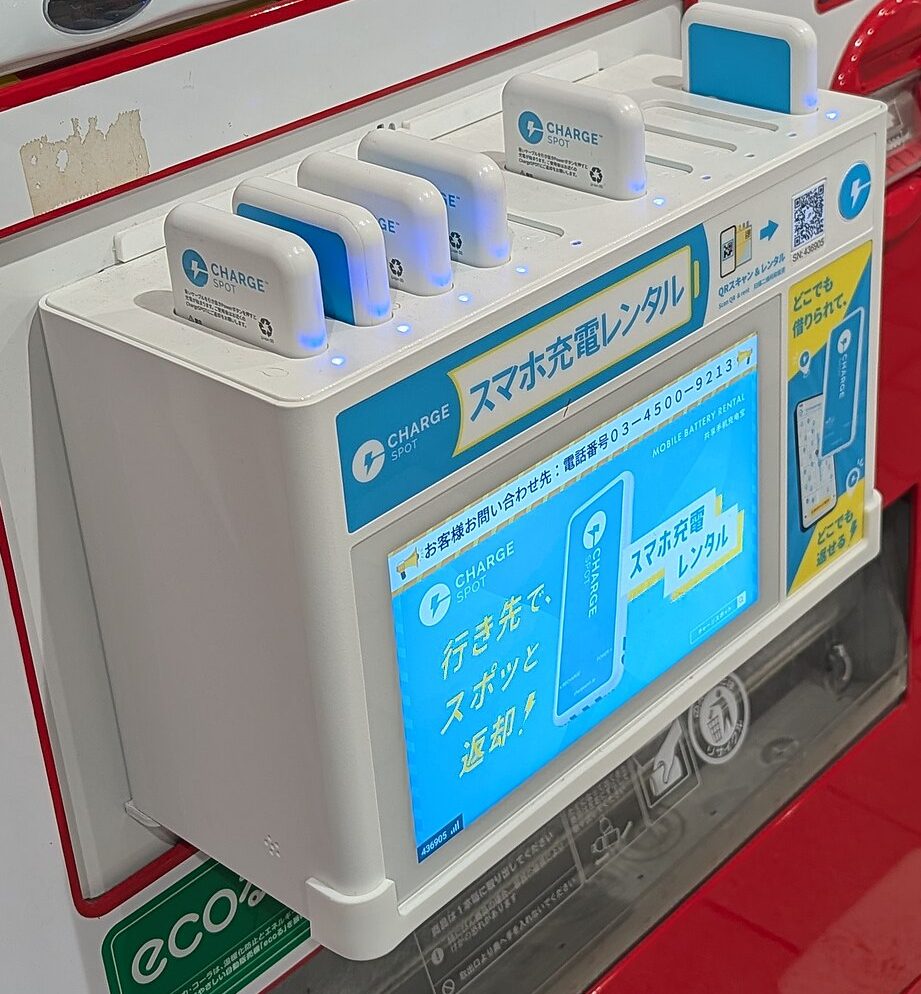
A rental stand holds a row of charged power banks. You take one out, charge your phone with its built-in cable, and push it back into any stand of the same service when you're done. According to ChargeSPOT, its stands are in stations, convenience stores, drugstores and public facilities, and it calls the idea "rent anywhere, return anywhere". Haneda Airport has stands in each terminal and says a battery rented there can be returned at stands all over Japan, such as near your destination's station or at a convenience store.
Return the battery to a ChargeSPOT stand. The operator's usage manners page asks you to check for the ChargeSPOT logo, because other companies' stands can't take it back.
Three ways to rent
- The ChargeSPOT app. Sign in or create an account, scan the QR code on the stand, set a payment method, and a battery comes out. The App Store listing shows the app in English, Japanese, Simplified Chinese, Traditional Chinese and Thai.
- A payment app you already have. The operator's how-to page lists PayPay, d Barai, au PAY, LINE, WeChat, App Clip, UnionPay and Alipay as other ways to rent.
- Tap a card at the stand. Some stands have a screen and a card reader. Touch the screen, tap "RENT", then tap your credit card (or your phone, depending on the card). The operator's tap-to-pay page notes that some cards get a temporary hold of 4,080 yen. This type needs no account, so it suits a short trip.
Paying
The operator's price page lists the payment methods for the app, including credit cards and Apple Pay, along with Japanese services such as PayPay, d Barai and Rakuten Pay. A few things are worth knowing before you rent:
- Temporary holds. If you pay with a debit card, a prepaid card, Apple Pay, d Barai, Merpay or AEON Pay, an amount is held first. When the rental ends, only the fee is charged and the rest is released.
- You can't change the payment method during a rental, according to the terms of use.
- Traveling together? One account can rent up to three batteries at once. The price page says this works with a credit card.
How much it costs
You pay by how long you keep the battery, from the moment it's released until it's back in a stand. These are the standard fees in the terms of use (revised August 6, 2026), tax included, checked on October 13, 2026:
| Rental time | Fee |
|---|---|
| Under 30 minutes | 165 yen |
| 30 minutes to under 1 hour | 330 yen |
| 1 to under 3 hours | 430 yen |
| 3 to under 6 hours | 500 yen |
| 6 to under 12 hours | 570 yen |
| 12 to under 24 hours | 640 yen |
| 24 to under 48 hours | 1,000 yen |
| 48 to under 72 hours | 1,360 yen |
| 72 to under 96 hours | 1,720 yen |
| 96 to under 120 hours | 2,080 yen |
| 120 hours or more | 4,080 yen (the fee plus a 2,000 yen penalty) |
- Some stands and areas have different prices. The price page says some stands have special fees, so check the price shown when you rent.
- A rental can't run longer than 120 hours. If the battery isn't back by then, you pay the fee plus the 2,000 yen penalty.
- Lost or damaged: the terms set a compensation fee of 4,080 yen.
Cables, and what it can charge
The cables are built into the battery, so you don't need your own. ChargeSPOT's battery page describes two types:
- Standard battery: 5,000 mAh and 163 g, with three types of built-in cable that fit almost all smartphones.
- Fast-charging battery: 8,000 mAh, up to 22.5 W, with USB Type-C and Lightning cables. The page says it is being introduced in stages from June 2026, so you may not see it everywhere.
The same page says the batteries can also charge wireless earphones, portable fans, pocket Wi-Fi routers and handheld game consoles. If you're still deciding how to get online, see eSIM or pocket Wi-Fi.
Returning it
- Find a stand with space. On the app's map, stands where you can return a battery are shown with yellow pins.
- Push it in the right way round. The operator says that if the battery isn't returned correctly, the rental time doesn't stop. If a stand is full, use the map to find another one.
- For any problem, contact support in the app. The shop where the stand sits doesn't run the service, so ChargeSPOT asks users to contact its support from the app (the icon at the bottom right) rather than the shop staff. Its help page also has a link for inquiries in English.
Taking a power bank on a plane
Power banks contain lithium-ion batteries, and Japan's Ministry of Land, Infrastructure, Transport and Tourism (MLIT) has tightened the rules step by step after cases of power banks smoking or catching fire on board. These rules apply to any power bank you carry, your own or a rented one:
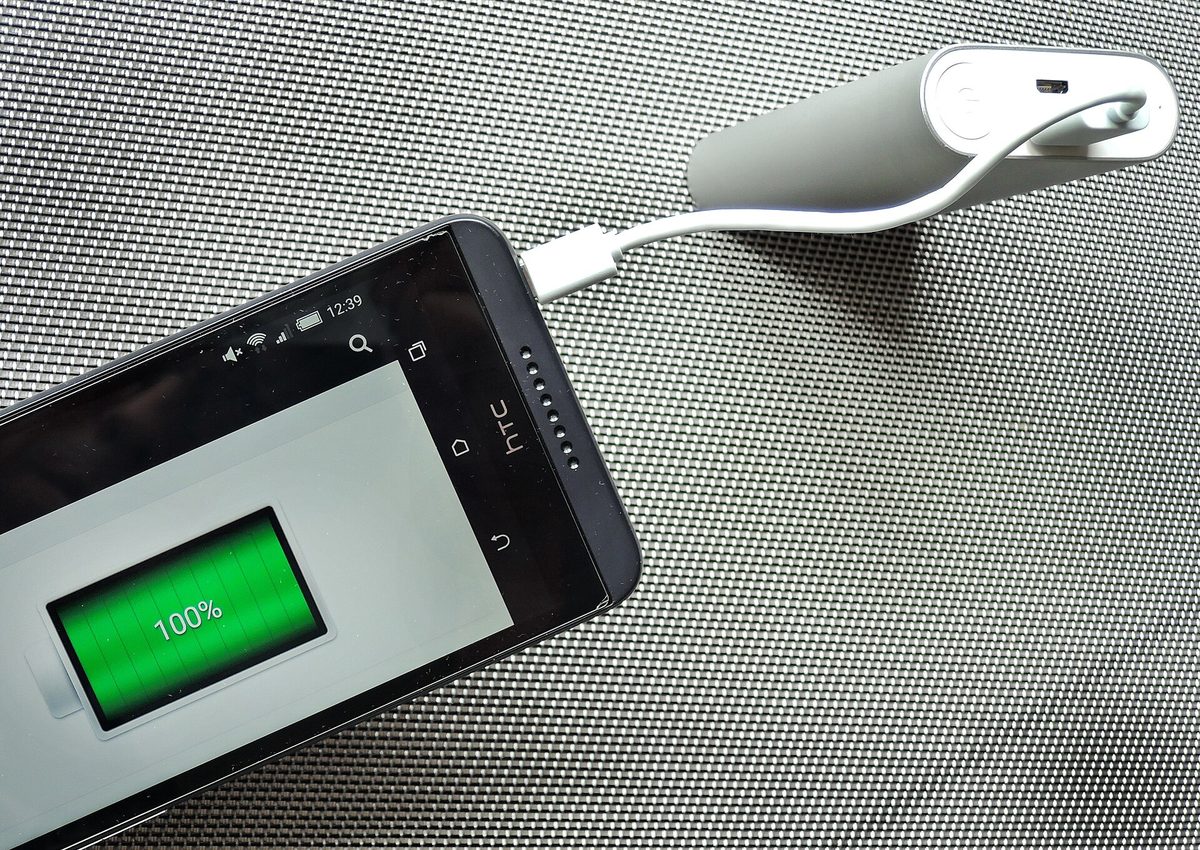
- Carry-on only. Power banks are not allowed in checked baggage.
- 160 Wh or less, and no more than two. The limit of two started on April 24, 2026. JAL notes that a power bank with no Wh rating on it can't be taken on board, because it can't be checked.
- Protect each one from short circuits, for example in its own case or bag.
- Keep it at hand, not in the overhead bin. Since July 8, 2025, Japanese airlines have asked passengers to keep power banks where they can be seen, such as the seat pocket.
- No charging on board. From April 24, 2026, don't charge a power bank from the plane's power, and don't charge your phone or other devices from a power bank. Charge your phone from the seat's own outlet or USB port instead.
MLIT says that breaking some of these rules can lead to penalties under the Civil Aeronautics Act, and that airlines may have stricter rules of their own, so follow your airline's instructions, especially on a foreign airline. ANA's baggage page lists the limit of two power banks in carry-on baggage, and JAL's travel magazine OnTrip explains all of these rules.
What about a rented battery? ChargeSPOT's terms of use (revised August 6, 2026) don't say anything specific about flights. Haneda Airport's page says power banks can only go in carry-on baggage and that a battery rented there can be returned at stands all over Japan. Keep in mind that the rental time keeps running until the battery is back in a stand, and that you can't charge from it during the flight.
If it gets hot or swells
Japan's Consumer Affairs Agency says about 700 cases of power banks overheating or catching fire were registered in its accident database from April 1, 2021 to September 30, 2025. Its advice applies to rented batteries too:
- Don't drop or squeeze it.
- Don't use or keep it somewhere that gets hot, such as a car in the sun.
- If it feels hot, looks swollen or seems wrong in any way, stop using it.
- If it catches fire, get to safety first, then put it out with plenty of water if you can.
ChargeSPOT's battery page adds: don't leave it in direct sunlight or under a pillow, don't use it when it or your phone is wet, and don't put a wet battery back into a stand. If you notice heat, swelling or smoke, stop using it and contact support from the app. In an emergency, call 119 for the fire department; see who to call in Japan.
Quick checklist
- Install the ChargeSPOT app before you need it, or look for a stand with a card reader.
- Check the price on the screen when you rent.
- Return it to any ChargeSPOT stand, within 120 hours.
- On a plane, keep power banks in your carry-on and at hand, and don't charge with them on board.
- Stop using any battery that gets hot or swells.
For paying in Japan more generally, see cash, cards or IC card.
Last reviewed: October 13, 2026. Prices and rules change; please check the official pages below.
References
- ChargeSPOT: Terms of use, revised August 6, 2026 (Japanese)
- ChargeSPOT: Prices and payment methods (Japanese)
- ChargeSPOT: How to rent with the app (Japanese)
- ChargeSPOT: How to rent with a credit card tap (Japanese)
- ChargeSPOT: Battery types and safety (Japanese)
- ChargeSPOT: Usage manners (Japanese)
- App Store: CHARGESPOT (languages)
- Haneda Airport: Mobile battery sharing CHARGESPOT (Japanese)
- MLIT: New rules for carrying power banks on board, from April 24, 2026 (Japanese)
- MLIT: Don't put power banks in the overhead bin, from July 8, 2025 (Japanese, PDF)
- ANA: Items with conditions attached to carry-on or check-in (domestic flights)
- JAL OnTrip: Rules for taking power banks on board (Japanese)
- Consumer Affairs Agency: Is your power bank OK? (Japanese)