Eating Out in Japan When You Don't Speak Japanese: Show Your Phone (Translation App Tips and Phrases)
Not many people in Japan use English every day, so restaurant staff can look a little unsure when a guest speaks to them in English. That isn't unfriendliness. Most of them simply want to get it right. Our one-point advice for enjoying food in Japan is to show your phone: a short sentence translated into Japanese, held up on the screen, usually gets a kind and helpful answer. This guide gives you ready-made phrases to show, and the Google Translate, Google Lens and browser features that make paper menus, menu photos and QR code ordering easy to read.
- Why a translated screen works better than speaking English
- Phrase cards in Japanese you can show staff as they are
- Paper menus: point the camera; saved menu photos: translate them before you go
- QR code and app ordering: translate the page in your browser
Why showing your phone works
English is taught in Japanese schools, but many people rarely speak it, and a fast question in English during a busy service can make staff freeze for a moment. A sentence in Japanese on your screen changes that. They can read it at their own pace, understand exactly what you mean, and answer by pointing, nodding, speaking slowly or typing a reply into your phone. Staff are usually glad you made the effort, and many are happy to explain.
If the restaurant is busy, you may hear ちょっと待ってください (chotto matte kudasai) or the more formal 少々お待ちください (shosho omachi kudasai). Both mean "please wait a moment". It's a polite "I'll be right with you", not a "no", so stay where you are and they will come back to you. With a little patience, you can almost always get your question across.
Phrases to show staff
Each card has the Japanese to show (large), how to say it, and what it means. Show the screen, or read it out slowly if you like. You can also type the same question into Google Translate in your own words.
お店のおすすめは何ですか?
o-mi-se-no o-su-su-me-wa nan-de-su-ka
What do you recommend here?
お刺身の盛り合わせには、何が入っていますか?
o-sa-shi-mi-no mo-ri-a-wa-se-ni-wa na-ni-ga hait-te-i-ma-su-ka
What's in the assorted sashimi platter?
これは何を使った料理ですか?
ko-re-wa na-ni-o tsu-kat-ta ryō-ri de-su-ka
What is this dish made with?
卵アレルギーがあります。卵を使っていない料理はありますか?
ta-ma-go a-re-ru-gī-ga a-ri-ma-su. ta-ma-go-o tsu-kat-te-i-nai ryō-ri-wa a-ri-ma-su-ka
I'm allergic to eggs. Do you have dishes without egg? (Swap 卵, egg, for your allergen.)
これをください。
ko-re-o ku-da-sa-i
I'll have this, please. (Point at the menu.)
Wi-Fiはありますか?
wai-fai-wa a-ri-ma-su-ka
Do you have Wi-Fi?
ちょっと待ってください。
chot-to mat-te ku-da-sa-i
What staff may say: "Please wait a moment." They'll come back to you.
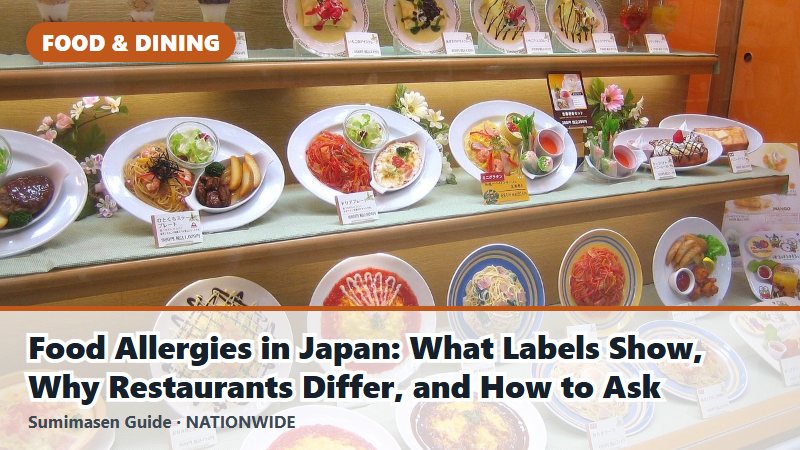
For allergies, a short card is a start, not a guarantee. Restaurants differ in how much they can check, and sauces and broth can hide ingredients. Read food allergies in Japan for a fuller card and what to ask. To call staff over, a polite すみません (sumimasen, "excuse me") with a raised hand is normal; many places also have a call button on the table.
Google Translate: type, speak, or talk in turns
The free Google Translate app covers most situations at a restaurant. These features are described on Google's own help pages (checked October 2026); menus and button names can change with app updates.
- Type it: choose your language and Japanese, then type a word or sentence; Google's help page says the translation is shown automatically. Short, simple sentences tend to come out clearest.
- Talk in turns: in the app's live translate, the Conversation mode lets you and the staff take turns speaking, with translations played out loud. On iPhone, a "Text only" option shows the translations without sound, which suits a quiet restaurant.
- Download Japanese for offline use: Google's help page on downloading languages recommends doing it on Wi-Fi. Do it at your hotel before you go out, in case the signal is weak in a basement restaurant.
Most features still work best with a data connection, so a phone plan for Japan helps; see eSIM or Pocket Wi-Fi for Japan. Some restaurants also offer free Wi-Fi to customers. It's fine to ask with the Wi-Fi card above.
Paper menus: point the camera
For a printed or handwritten menu, use the camera. In the Google Translate app, tap Camera and point it at the text; Google's help page says the translation appears on the screen, and its Android version notes that camera translation works offline for languages you've downloaded. Google Lens does the same job: Google says Lens can translate text into all Google Translate languages, and on iPhone you can reach it through the Google app or Google Photos.
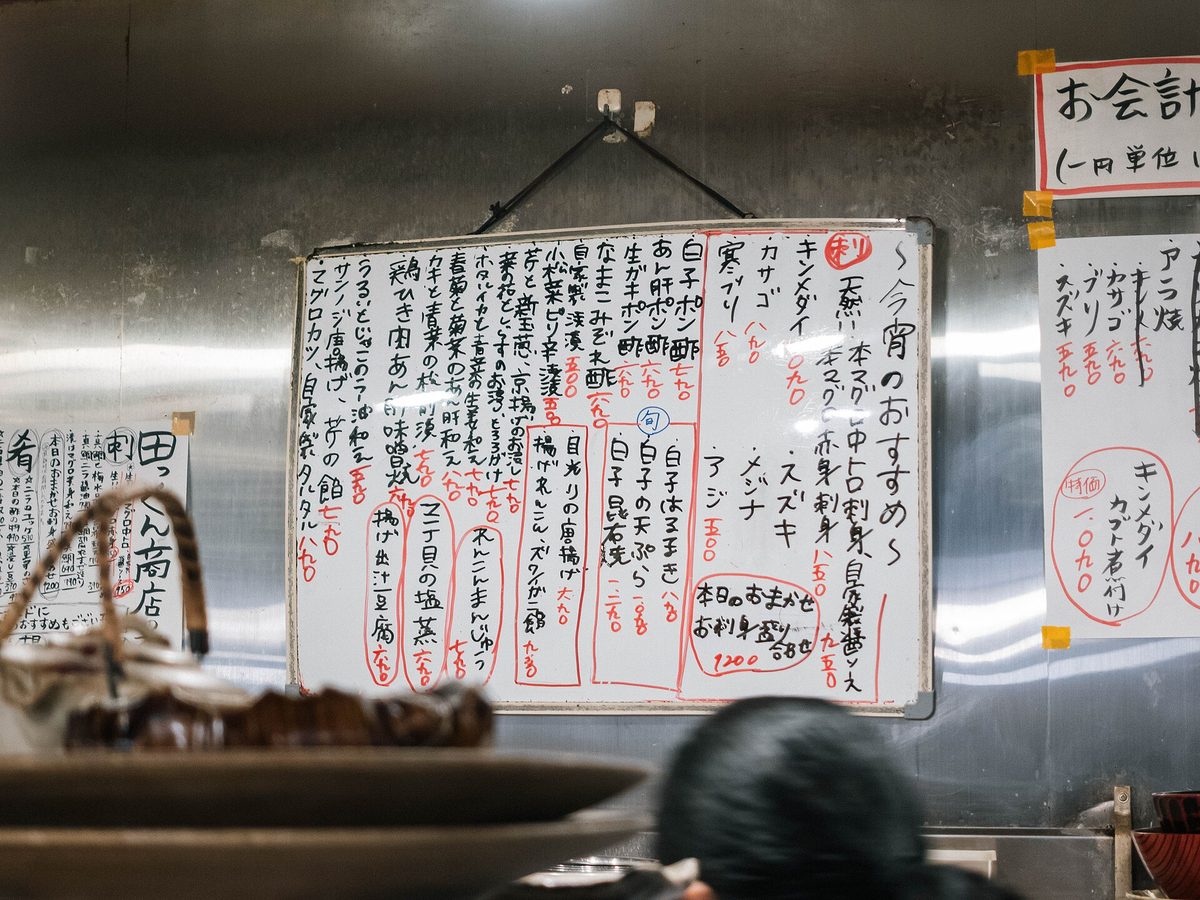
Brush-style lettering, vertical writing and handwritten specials on a board can be harder for the camera to read. If a result looks odd, point at the item and show the card これは何を使った料理ですか? instead. Staff are usually happy to explain.
Before you go: save the menu on hotel Wi-Fi
If you've already decided where to eat, you can do the reading before you arrive. Restaurant pages on gourmet and restaurant-search sites often include photos of the menu or the dishes. Gurunavi, for example, has an English site for finding and booking restaurants in Japan. While you're on your hotel's Wi-Fi, take screenshots of the menu photos or save them to your phone.
Then translate them at your own pace. In the Google Translate app, open the camera and tap Gallery to translate text in an image you've already saved (Google's help page). On Android, Google's Lens help page says you can open the photo in Google Photos and tap Google Lens. You can choose what to order before you even sit down, and simply point at it on the day. If the restaurant takes bookings, see restaurant reservations in Japan.
QR code and app ordering: translate the page in your browser
More and more restaurants let you order on your own phone: you scan a QR code on the table and a menu page opens in your browser. If it opens in Japanese, your browser can usually translate the whole page in a moment.
- Chrome (Android or iPhone): choose your language in the translation prompt at the top of the page. If there is no prompt, tap the More menu and then Translate (Chrome Help, Android; iPhone).
- Safari (iPhone): tap the Page Menu button, then Translate to [language]. Apple's iPhone User Guide notes this isn't available in all languages or regions.
Text that is part of a picture, such as a photo of a dish with its name written on it, may stay in Japanese. Take a screenshot and translate it with Google Lens or the Translate app's Gallery. Before you confirm an order, check the item count and the price. Some izakaya also add a small seating charge with a starter dish; see otoshi, the small dish and table charge.
A few more tips
- Check how to pay early. Some small restaurants take cash only; see cash-only restaurants in Japan.
- Ordered the sashimi platter? Here's how to eat sashimi with wasabi.
- Say thanks in Japanese. ごちそうさまでした (gochisosama deshita) on the way out is a warm way to end the meal, even if everything else was done on a screen.
Last reviewed: October 5, 2026. App features, button names and restaurant ordering systems change; check your app if something looks different.
References
- Google Translate Help: Translate written words (iPhone & iPad)
- Google Translate Help: Hear live speech to speech translations with live translate (iPhone & iPad)
- Google Translate Help: Download languages to use offline (iPhone & iPad)
- Google Translate Help: Translate images (iPhone & iPad)
- Google Translate Help: Translate images (Android)
- Google Search Help: Get info about your photos & surroundings (iPhone & iPad)
- Google Search Help: Get info about your photos & surroundings (Android)
- Google Chrome Help: Translate pages and change Chrome languages (Android)
- Google Chrome Help: Translate pages and change Chrome languages (iPhone & iPad)
- Apple iPhone User Guide: Browse the web using Safari on iPhone
- Rakuten Gurunavi (English)